
Robots.txt: A Complete Guide to Managing Website Indexing
Successful indexing of a new website involves many elements. One of them is the robots.txt file, which contains information for search engine robots.
What is robots.txt
The robots.txt file is a text document that contains instructions about the visibility of the site for search engine bots. It tells search engines which pages of the site should be scanned and which should be excluded from this process. This helps distribute the activity of search robots: you prevent them from wasting time on closed or irrelevant information, so that instead, the robots can focus on key pages important for your SEO.
The commands within robots.txt affect crawling, which in turn influences indexing results — the addition of information about your site to the search engine’s database. Therefore, working with this mechanism requires great caution and understanding. A correctly filled file is the key to good site visibility, but some mistakes can "kill" indexing or harm the confidentiality of information on your pages.
We have compiled this guide to dispel popular misconceptions and offer relevant advice on working with robots.txt.
Why robots.txt is needed
Every search engine creates its own index — a vast database of what pages exist on the internet. To do this, they use search robots that follow links and gather information about what they find. This data forms what we see in Google’s search results.
Crawling a site requires time and resources, and this process can be quite chaotic. Without instructions, robots choose the order in which to visit pages, which might result in a four-year-old article being processed first, while fresh news and current contact information are handled much later.
Therefore, when visiting a site, robots look for special instructions — these are contained in robots.txt. Using this file, you can influence the crawling process and direct algorithms along the desired path. This is usually done by prohibiting access to certain pages or sections — thus, the resources of search engines are directed towards studying what is not blocked.
With robots.txt you can:
- Block the crawling of specific links. You can prevent robots from seeing HTML pages, media files, and resource files (such as styles and scripts).
- Shift the focus of search engines to important pages. Closed pages won’t distract robots from the information that should appear in search.
- Allow site crawling only by certain robots. This helps reduce server load and control traffic.
- Specify the location of sitemap.xml. The site map will inform robots about the current composition of pages and help optimize their work.
Limitations of robots.txt
The content of robots.txt is often referred to as guidelines for search engine robots. It's important to understand that this mechanism does not give you complete control over search engine results.
robots.txt does not guarantee a 100% block on indexing. This method prevents direct crawling, but robots can still reach the same page if other sources link to it. In such a case, the link can still appear in search results, albeit without a full description in the snippet and likely far from the top positions. This is especially important to consider when dealing with personal data and other sensitive information.
Not all search engine robots check the robots.txt file before accessing a site. This means that the instructions in the file will not affect the crawling behavior of some crawlers from Google and other search engines.
To avoid potential issues, it's best to use a broader set of technical measures. Below, we'll discuss for which tasks robots.txt is sufficient and for which additional steps are needed.
The robots.txt File — Naming and Location
First, let's understand how to prepare the file itself. A standard text editor will do — simply create a new text document and name it. It must be named robots.txt and nothing else. The algorithm is case-sensitive, so there should be no uppercase letters or extraneous symbols in the name.
Place robots.txt in the root directory of the website, for example: https://site.com/robots.txt. When visiting a site, search engine robots check this directory and expect to find a correctly named file here, returning an HTTP response with code 200 OK. If this doesn't happen, crawling occurs in a random manner, even if the correct instructions are located elsewhere.
The rules in robots.txt apply to the domain where it is located. Rules from the file at https://site.com/robots.txt will apply to site.com but not to m.site.com — a separate document is required for the subdomain.
You don't always have to create robots.txt yourself. Many website builders generate it automatically, and you only need to fill it with content.
How to Fill Out robots.txt
The file itself contains rules that are read by search engine robots. These rules allow you to grant or deny permission to crawl pages for all or specific robots, and specify some other parameters.
- User-agent specifies which robots the instructions are for.
- Disallow prohibits the crawling of specified pages or directories of the site.
- Allow permits the crawling of specified pages or directories of the site.
- Sitemap sets the path to the sitemap.
User‑agent
This rule specifies which search engine robots the following rules apply to. Using the value *, you can set parameters for all major search engine robots that perform crawling for indexing.
Important: This list does not include all existing bots, and some crawlers completely ignore robots.txt. You can find lists of specific exception robots in Google’s help documentation.
Here's an example of how to prevent all major robots except Google from crawling your site:
User-agent: *
Disallow: /

User-agent: Google
Allow: /
Disallow
Disallow prevents robots from crawling pages at the specified address or an entire directory. To ensure the robot processes the links correctly, they must be specified in the proper format:
- Page — /page.html;
- Directory — /folder/;
- Entire site — /.
Using the * symbol, you can specify all links that contain certain words or file formats. For example, this is how we block Google from scanning all PDFs on our server:
User-agent: Googlebot
Disallow: /*.pdf
Allow
Performing the opposite function of Disallow, Allow permits the crawling of a page. There is no need to add everything you want robots to see here, as the robots.txt file would become too large. Moreover, crawlers will scan everything that is not prohibited anyway. The primary role of Allow is to create exceptions to already specified rules.
Important: The same formatting and link writing rules apply to Allow as they do to Disallow. For example, this is how you can prevent Google from crawling your entire site except your blog:
User-agent: Googlebot
Allow: /blog/
Disallow: /
Sitemap
This line allows you to specify the path to the sitemap file, typically sitemap.xml. The link to it must be provided in full:
Sitemap: https://site.com/sitemap.xml
Important Rules for Working with robots.txt
There are a few key points that determine whether robots can correctly read the contents of robots.txt.
Follow the Correct Structure
Robots read instructions from top to bottom and group them together to indicate what needs to be done. Each rule group must contain at least one line for User-agent and either Disallow or Allow — without this condition, the User-agent values are merged.
One Link — One Rule
You cannot specify different addresses separated by commas or other symbols. Each link must be written in its own rule, for example:
User-agent: *
Allow: /blog/
Allow: /news/
Disallow: /
How to Reliably Prevent a Page from Being Indexed
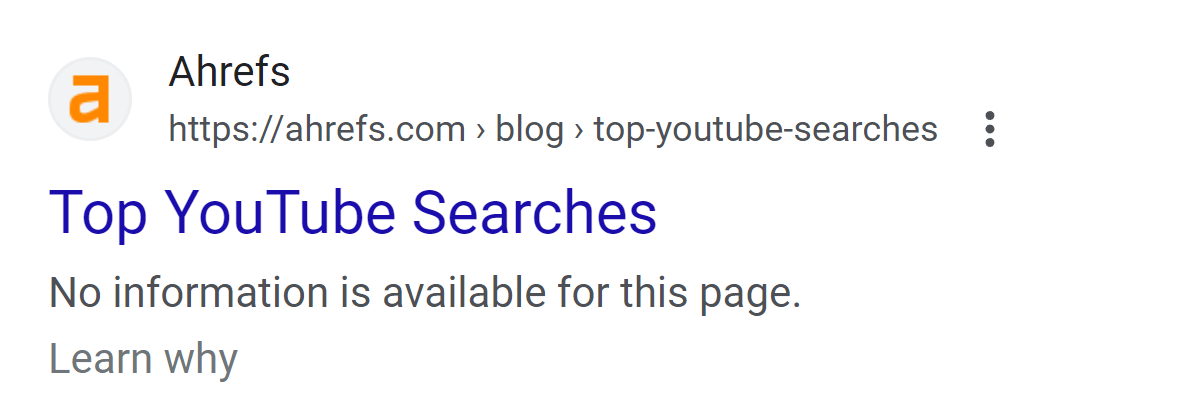
Rules in robots.txt pertain to how pages are crawled. Blocking a page from being crawled means search engines won't gather restricted information during their visit to your site, but it won't stop them from discovering the page through other methods.
If any other crawlable source links to the page you've blocked via robots.txt, it can still end up in the index. In this case, it will have a shortened snippet — without access to the content, the search engine won't have a description to display.
To avoid unexpected occurrences, use proven methods for fully removing a page from search results.
Meta Tags for Pages and HTTP Responses
In the HTML code of pages, you can include meta tags that direct robots on the correct behavior. To prevent a page from being indexed, use the noindex parameter in the Robots tag:
<meta name="robots" content="noindex">
The same parameter can be applied at the level of the HTTP response header using X-Robots-Tag. This works for both pages and any files on your server:
HTTP/1.1 200 OK
(...)
X-Robots-Tag: noindex
(...)
Keep in mind that for this method to work, robots must crawl the page. This means that noindex won't work simultaneously with Disallow in robots.txt — ensure the page is allowed to be visited by crawlers.
Block Links
To more reliably protect a page blocked via robots.txt, you can prevent robots from following links to it located on your site. Use the rel="nofollow" attribute for each link:
<a href="link" rel="nofollow">text</a>
You can also set a nofollow attribute for the entire page using the Robots meta tag:
<meta name="robots" content="nofollow">
There are some drawbacks here too — you can only prevent link following on pages you have access to. If a blocked page is linked from an external site, there's still a chance it could be indexed.
Set an HTTP Status
To close a page, you can set one of the following HTTP statuses:
- 401 Unauthorized — the user does not have permission to access the resource;
- 403 Forbidden — the resource is closed, even if the user has the necessary permissions;
- 404 Not Found — the requested resource is not found on the server.
These HTTP responses reliably block pages from being scanned but also make them inaccessible to regular users — keep this in mind when configuring.
Delete a Page
Sometimes we don't want a page to be scanned because it has become outdated: offices close, contacts change, products run out.
Weigh the pros and cons — is it more useful to try to hide outdated information from search results or is it easier to get rid of it entirely? Deleting a page might reduce costs and save the webmaster's efforts.
Password Protect a Page
If blocking or deleting isn't an option, use another method to restrict access to the site or specific pages. Password protection is common for personal accounts and other parts of the site that store sensitive data.
A password is also useful for a test version of a site. You can block a domain with a development version from outsiders by using a placeholder requesting an admin login — this reliably keeps the process private.
Use Tools to Remove from Index
If you have blocked a page from being indexed or deleted it from the site, but it still appears in search results, it means that search engines have not yet removed it from their indexes. You can speed up this process using Google Search Console:
- Open the tool.
- Go to the Temporary Removals tab.
- Click Create a new request.
- Choose one of the options: temporary removal of a URL (affects the link entirely and results in the page being excluded) or removal of a page fragment in search (prompts a re-scan of the page to replace the snippet description).
- Click Next and confirm the request submission.
Search Console also shows the status of the request during processing and can also decline the request, providing a detailed report on its decision.
Google calls the removal temporary because it only lasts for 6 months — after this period, the page returns to the search results. To remove information permanently, use one of the methods mentioned above — prohibit scanning the page, block access, or delete it.
Summary
The effectiveness of indexing is influenced not only by whether all necessary pages are optimized but also by how well all unnecessary ones are hidden. Robots.txt is one way to influence the behavior of search engine robots on your site and to prohibit the scanning of selected pages, thereby speeding up the processing of truly important information.
This file provides a certain level of control over what appears in search results, but for complete confidence, we recommend using not only robots.txt but also other methods mentioned in the article. And don't forget to keep up with the latest recommendations from the search engines themselves.
🍪 By using this website, you agree to the processing of cookies and collection of technical data to improve website performance in accordance with our privacy policy.