
UTM Tags: Setup, Link Tagging, and Traffic Analysis
Brief Summary
UTM tags help break down traffic by source, medium, campaign, ad, and keyword. They are useful when you want to see not just visits, but the exact source of each click. For the same landing page, you can determine which channel generates leads, which creative drives sales, and which one merely wastes your budget.
Below, we explain how to create UTM tags, which parameters to use, and how to analyze UTM tags in GA4.
Who Should Read This:
- Marketers running campaigns in Google Ads, Telegram Ads, email, and affiliate channels.
- SEO specialists and webmasters who need to identify referral sources, campaigns, and traffic quality.
- Website and online store owners who need a clear, consistent link-tagging standard without confusion in their reports.
What Are UTM Tags and Why Are They Used
UTM tags are URL parameters that send information about a visit’s source to an analytics platform. They help you understand where users came from: an ad, email campaign, messenger app, social network, affiliate content, or QR code.
A tagged link is longer than a regular one because parameters are appended to the page address after a question mark. For example:
https://site.ru/catalog/?utm_source=telegram&utm_medium=messenger&utm_campaign=april_sale
The main purpose of UTM tagging is not to add parameters for their own sake, but to obtain comparable data across all channels. If you follow a consistent naming standard, you can quickly compare traffic, conversions, revenue, and return on investment for each campaign.
UTM tags should be used for external traffic. They are unsuitable for internal website navigation because they overwrite the session source and distort analytics data. Track internal clicks using events, goals, and e-commerce tracking.
FAQ Section
Are UTM tags necessary for SEO traffic?
No. Search engines and analytics platforms identify organic traffic without manual UTM tagging.
Should every link in an ad be tagged?
Yes, if you want to identify the source and campaign without losing data.
Can UTM tags be added to internal website buttons?
No. Use events and goals for internal navigation.
What Does UTM Link Tagging Consist Of
Basic link tagging is built around three required parameters:
- utm_source — the traffic source. Examples: facebook, instagram, telegram, email, partner-site.
- utm_medium — the channel or placement type. Examples: cpc, paid_social, messenger, email, referral, banner.
- utm_campaign — the campaign name. Examples: april_sale, webinar_seo, black_friday_2026.
These three parameters are enough to capture the essentials. For more detailed analysis, two additional standard parameters are used:
- utm_content — the ad, button, banner, content block, or audience variant.
- utm_term — the keyword or an additional search parameter.
GA4 also supports additional fields: utm_id, utm_source_platform, utm_creative_format, and utm_marketing_tactic. The most commonly used are utm_id, which provides a stable campaign identifier, and utm_source_platform, which distinguishes between advertising systems and media-buying platforms.
If you need a consistent structure, you can use the following format:
https://site.ru/page/?utm_source=facebook&utm_medium=paid_social&utm_campaign=leadform_april_2026&utm_content=creative_1&utm_term=audience_ny
UTM tag values are case-sensitive. FACEBOOK and facebook will appear as different sources in reports. Establish a rule from the outset: use only lowercase Latin letters, with words separated by hyphens or underscores.
FAQ Section
Which UTM parameters are required?
The minimum set is utm_source, utm_medium, and utm_campaign.
Is utm_content always necessary?
No. It is needed only when you want to distinguish between ads, buttons, banners, and other variants within the same campaign.
How to Set Up UTM Tags Correctly
The main challenge with UTM tags is not syntax but consistency. If one specialist uses facebook and another uses fb, the report will become unreliable within a month.
To keep UTM-tagged links suitable for analysis, document the rules in a shared spreadsheet or set of guidelines:
- Use one source name for each platform: facebook, instagram, telegram, email.
- Use one medium for each type of traffic: cpc, paid_social, messenger, email, referral.
- Use a consistent naming format for campaigns: product_goal_month_year.
- Use a consistent format for creative variants: creative_1, banner_blue, button_top.
FAQ Section
Where should UTM tag templates be stored?
In a shared team spreadsheet, CRM, wiki, or task manager. The important thing is to have a single source of truth.
Why is it better to use lowercase letters?
This prevents the same source from being split into multiple rows in your reports.
Should UTM tags be added after redirects?
No. The tags should be included in the final URL and must not be lost during redirects.
How to Analyze UTM Tags in GA4
In GA4, UTM campaign data can be found in the traffic acquisition report. It includes session-level dimensions such as source, medium, campaign, and related breakdowns. If you import costs and want to match them using an identifier, use utm_id.
Important points when analyzing UTM tags:
- Compare channels using the same attribution window and the same set of conversions.
- Do not mix manual tagging with inconsistent labels from advertising platforms.
- Make sure redirects, link shorteners, and your CMS do not remove the parameters.
- When analyzing advertising costs, use the same campaign names in the advertising platform and the UTM tags.
If you need a return-on-investment report, UTM tagging alone is not enough. You also need properly configured goals, events, e-commerce tracking, and cost data imports into your analytics platform.
FAQ Section
Can you still rely on Universal Analytics in 2026?
No. GA4 is now the standard Google Analytics platform.
What is utm_id used for?
It helps match a campaign with imported cost data and does not depend on a manually assigned campaign name.
UTM Tag Templates for Google Ads, Email, Social Media, and Messenger Apps
UTM Tags for Google Ads
If you use Google Ads, do not rely solely on auto-tagging. For end-to-end analytics, CRM systems, and third-party reports, it is often better to retain manual UTM tags as well: utm_source=google, utm_medium=cpc, utm_campaign, plus values for creatives and keywords.
UTM Tags for Email Campaigns
A useful structure for emails is utm_source=email, or a source based on the email platform’s name, utm_medium=email, utm_campaign based on the campaign topic, and utm_content based on the button or content block. This allows you to identify which link within an email actually generates conversions.
UTM Tags for Social Media
Separate paid and organic traffic. For example, use utm_source=facebook and utm_medium=paid_social for advertising, and utm_medium=social for organic posts.
UTM Tags for Telegram and Other Messenger Apps
It is best to use utm_medium=messenger and a clear source, such as utm_source=telegram or utm_source=whatsapp. This makes it easier to analyze messenger traffic separately from social media traffic.
UTM Tags for QR Codes and Offline Campaigns
For printed materials, packaging, menus, and points of sale, use a separate medium: utm_medium=offline or utm_medium=qr. This prevents offline traffic from being mixed with digital sources.
FAQ Section
Should paid and organic traffic from the same social network be separated?
Yes. Otherwise, organic posts, sponsored placements, and ads will be combined.
How should Telegram links be tagged?
Use telegram as the source and messenger as the medium, or paid_social for paid placements.
What should be included in utm_content for ads?
The creative name, ad format, placement, or audience segment.
UTM Tag Generator
You can use a UTM tag generator — simply complete all the fields to get a ready-to-use link.
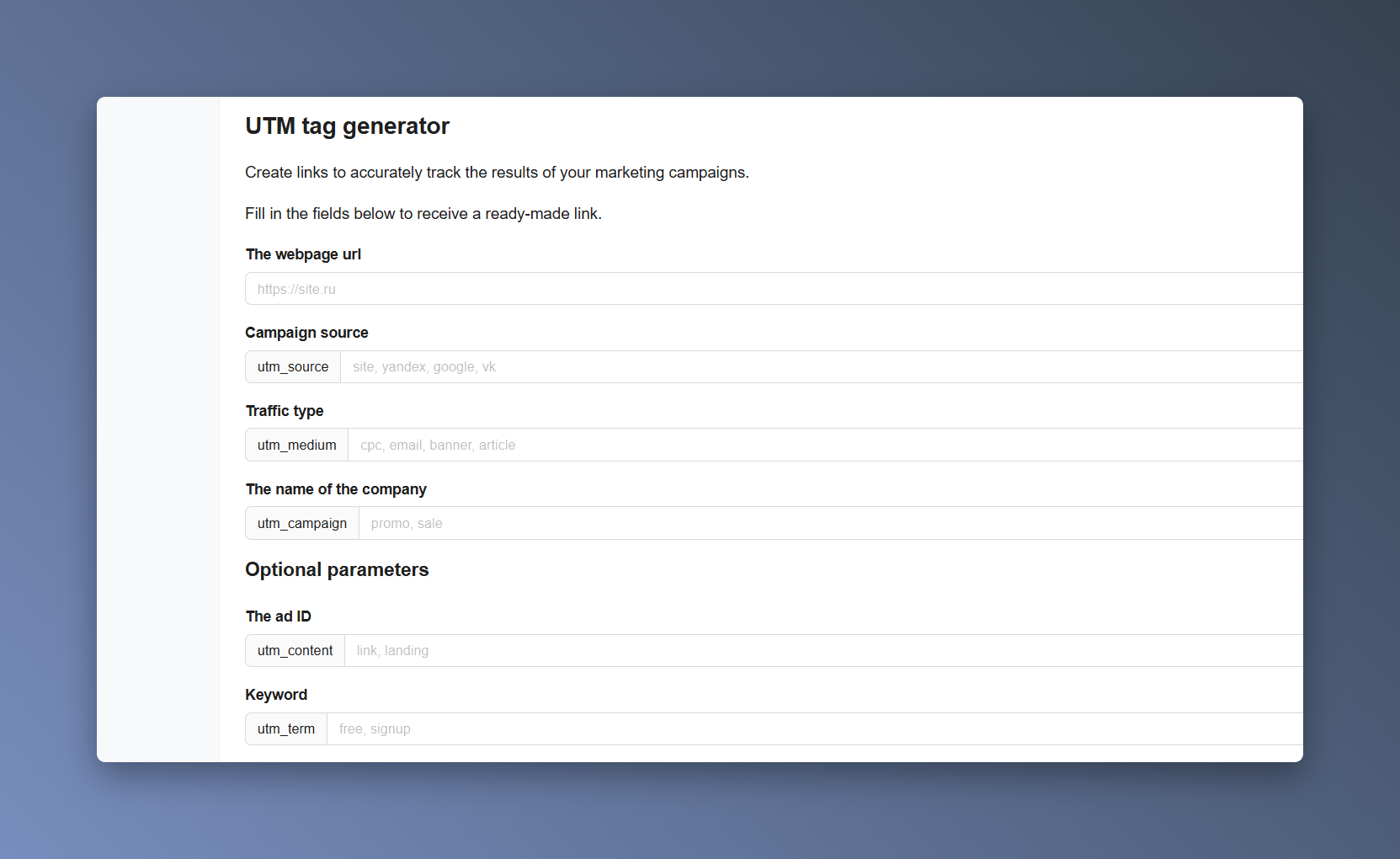
If you manage a large number of campaigns, do not rely solely on an online generator. It is much more reliable to use your own spreadsheet template with columns for the source, medium, campaign, creative, launch date, and the person responsible for the advertising placement.
For teamwork, such a spreadsheet is more useful than any generator: it reduces duplicates, helps identify naming errors quickly, and makes analytics data comparable from month to month.
Common Mistakes That Interfere with UTM Analysis and a Checklist
Mistake 1: Using different names for the same source.
For example: facebook, fb, and FACEBOOK.
Mistake 2: Adding UTM tags to internal links.
These clicks overwrite the source and distort analytics data.
Mistake 3: Losing tags during redirects.
Make sure the link opens the correct page and preserves all parameters after the redirect.
Mistake 4: Missing canonical tags on parameterized pages.
For SEO purposes, make sure pages with UTM parameters do not create duplicate pages in the search index.
Mistake 5: Using excessively long parameter strings.
If a parameter is not used in your analysis, do not add it.
Mistake 6: Failing to test before launch.
Before launching a campaign, open several tagged links on different devices and confirm that the visits appear in your analytics platform.
Checklist Before Using UTM Tags
- All values are lowercase.
- All required parameters are completed.
- The URL opens without a 404 error and without losing the tags.
- Redirects, link shorteners, and the CRM preserve all parameters.
- Events, goals, and e-commerce tracking are configured.
- Campaign names comply with your internal naming guidelines.
If you follow this checklist, UTM tags will deliver exactly what they are intended for: clean analytics data broken down by channel, campaign, and ad.
FAQ Section
Why has one campaign been split into multiple rows in the report?
The values probably differ in capitalization, hyphens, underscores, or source spelling.
Should shortened links be tested separately?
Yes. Some services may remove parameters or add their own redirects.